
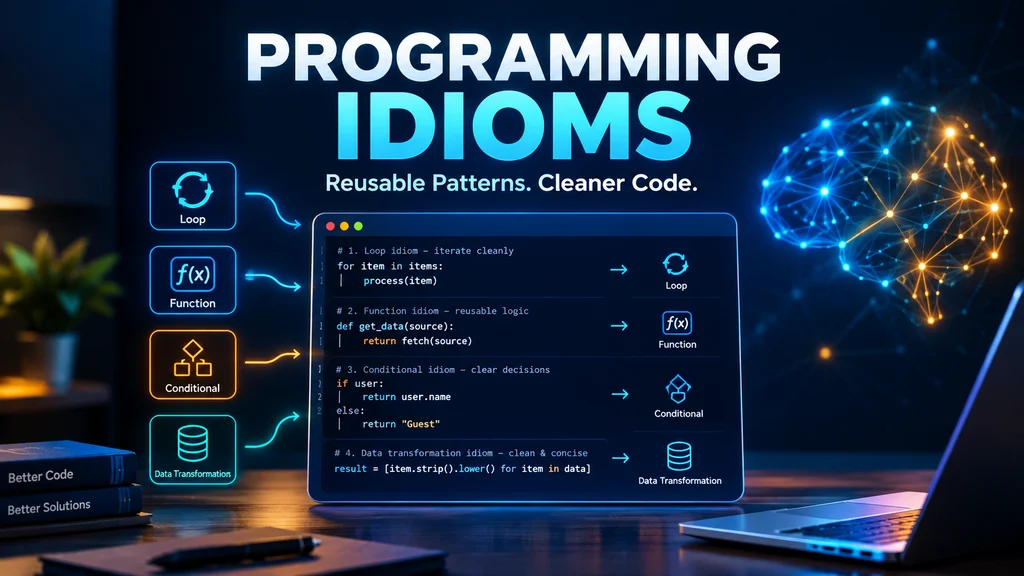
Good code is not just about making a program work; it is also about expressing a solution in a way other developers can easily understand. Programming idioms are familiar coding techniques that developers commonly use to solve specific problems in a particular programming language.
For example, Python developers use list comprehensions to create lists concisely, while JavaScript developers may use destructuring to extract values from objects or arrays. These techniques make code more recognizable and can improve readability when used appropriately.
Whether you are learning to code, studying computer science, or working with an unfamiliar codebase, understanding common programming idioms can help you read and write code with greater confidence. However, idiomatic code varies across languages, and a technique that works naturally in Python may not be the best choice in Java, JavaScript, or C++. In this guide, you’ll discover common programming idioms, explore simple code examples, and learn when these techniques make sense so you can write clearer, more maintainable code.
What Are Programming Idioms?
Programming idioms are familiar expressions, principles, and coding patterns that help developers explain common problems and write clearer code. For example, “rubber duck debugging” means talking through your code to find a mistake, while a Python list comprehension offers a concise way to create a list. Understanding these 20 programming idioms and related expressions will help you follow developer conversations and recognize useful coding practices.
Common Programming Idioms and Developer Expressions
Programming terminology includes figurative expressions, technical concepts, development principles, and language-specific coding patterns. The following examples distinguish these categories so you can understand not only what each term means, but also when it is useful.
Rubber Duck Debugging
Meaning: Explaining a programming problem aloud, often to a rubber duck, to discover mistakes in your reasoning.
Figurative meaning: Describing your code step by step can reveal a faulty assumption or overlooked condition.
Example sentences:
- “I found the missing condition through rubber duck debugging.”
- “Try explaining the function aloud before rewriting it.”
Common error: Thinking you need an actual rubber duck. Any object—or simply talking through the problem—can help.
Usage note: This informal expression describes a debugging technique, not a specific programming language feature.
Reinvent the Wheel
Meaning: Rebuild something that already exists when a suitable solution is available.
Word-by-word meaning: “Reinvent” means create again, while “the wheel” represents an established solution.
Figurative meaning: Developing a tool or feature from scratch when an appropriate library or existing implementation would work.
Example sentences:
- “We don’t need to reinvent the wheel; a reliable library already handles date formatting.”
- “Check existing authentication tools before building a custom system.”
Common error: Assuming every existing library is suitable. Security, compatibility, maintenance, and project requirements still matter.
Usage note: This expression is useful during planning, code reviews, and discussions about reusing software.
Spaghetti Code
Meaning: Code with tangled logic and a structure that is difficult to understand or maintain.
Word-by-word meaning: “Spaghetti” suggests tangled strands of pasta; “code” means computer instructions.
Figurative meaning: Software with confusing control flow, excessive dependencies, or poorly separated responsibilities.
Example sentences:
- “The old function became spaghetti code after years of quick fixes.”
- “Let’s separate these responsibilities to make the module easier to maintain.”
Common error: Assuming every long function is spaghetti code. Complexity and tangled logic matter more than length alone.
Usage note: The phrase is informal and critical. In professional feedback, explain the specific problem and suggest an improvement.
Yak Shaving
Meaning: Getting caught up in a chain of smaller tasks while trying to complete the original task.
Figurative meaning: Spending time on indirect prerequisites or unexpected detours that distract from your main goal.
Example sentences:
- “I wanted to fix one bug, but configuring the old build system turned into yak shaving.”
- “Let’s check which setup tasks are actually necessary before continuing.”
Common error: Calling every prerequisite yak shaving. Some supporting tasks are essential; the phrase usually suggests an unexpectedly distracting chain of work.
Usage note: This informal expression is common in developer conversations about complicated setups and project detours.
Bikeshedding
Meaning: Spending too much time discussing a minor detail while more important issues receive insufficient attention.
Figurative meaning: Overdebating a small decision, such as a variable name, while ignoring a significant architecture or security concern.
Example sentences:
- “We spent half the meeting bikeshedding the button color instead of discussing the security issue.”
- “Let’s settle the naming question and focus on the main design decision.”
Common error: Assuming every detailed discussion is bikeshedding. Small details can matter when they affect accessibility, consistency, or usability.
Usage note: This informal expression can sound dismissive, so use it tactfully in meetings and code reviews.
Technical Debt
Category: Software engineering concept.
Definition: Future maintenance costs or constraints created by technical shortcuts and design compromises.
Example sentences:
- “Skipping automated tests saved time initially but increased our technical debt.”
- “We should address the fragile payment module before adding more features.”
Common mistake: Treating all old code as technical debt. The term is most useful when a decision creates an identifiable future cost.
Usage note: Explain the consequences—such as slower development, increased risk, or difficult maintenance—instead of using the term as a vague criticism.
Code Smell
Category: Software design term.
Definition: A pattern that suggests a possible problem with code quality or maintainability.
Example sentences:
- “Duplicated validation logic may be a code smell.”
- “This class has so many responsibilities that we should review its design.”
Common mistake: Assuming a code smell proves a bug exists. It is a warning sign that deserves investigation, not automatic proof of incorrect behavior.
Usage note: Common examples include duplicated code, excessively long methods, and classes with unrelated responsibilities.
Premature Optimization
Category: Programming principle.
Definition: Trying to improve performance before identifying a real problem or establishing that an optimization is worthwhile.
Example sentences:
- “Let’s benchmark the function before attempting premature optimization.”
- “The simpler implementation is easier to maintain, and profiling will show whether it needs improvement.”
Common mistake: Ignoring performance requirements until late in development. Known limits on memory, response time, or computational complexity should influence design from the beginning.
Usage note: Measure performance and focus optimization efforts on demonstrated bottlenecks.
Don’t Repeat Yourself (DRY)
Category: Programming principle.
Definition: Avoid unnecessary duplication of the same knowledge or logic across a system.
Example sentences:
- “Both forms use the same validation rules, so let’s apply the DRY principle.”
- “A shared function could prevent the rules from drifting apart.”
Common mistake: Combining every similar-looking piece of code into one abstraction. Excessive abstraction can make code harder to understand.
Usage note: DRY is about reducing duplicated knowledge, not eliminating every repeated line.
Keep It Simple, foolish(KISS)
Category: Design principle.
Definition: Prefer a straightforward solution over unnecessary complexity when both meet the requirements.
Example sentences:
- “A small helper function is enough here; let’s follow the KISS principle.”
- “We don’t need a complicated framework for this simple task.”
Common mistake: Confusing simplicity with ignoring security, reliability, or essential requirements.
Usage note: In formal or collaborative settings, “keep it simple” is a more diplomatic way to express the principle.
You Aren’t Gonna Need It (YAGNI)
Category: Software development principle.
Definition: Avoid building features based only on speculation that they might be needed later.
Example sentences:
- “We don’t need five export formats yet, so YAGNI.”
- “Let’s implement the current requirement instead of building an elaborate configuration system.”
Common mistake: Using YAGNI to ignore known future requirements or necessary architectural foundations.
Usage note: YAGNI discourages speculative features, not thoughtful planning.
Fail Fast
Category: Software design principle.
Definition: Detect invalid input or an unexpected state early and report the problem clearly.
Example sentences:
- “Validate the configuration at startup so the service can fail fast if a required setting is missing.”
- “The function should reject invalid input rather than silently return a misleading result.”
Common mistake: Assuming every error should crash the entire application. The right response depends on the error and the system’s requirements.
Usage note: Early validation and clear errors make problems easier to diagnose.
Edge Case
Category: Technical term.
Definition: An unusual or boundary situation that a program may need to handle correctly.
Example sentences:
- “We need to test the edge case where the submitted list is empty.”
- “The calculation works for ordinary values, but what happens when the input is zero?”
Common mistake: Calling every failure an edge case. A defect in a normal, expected scenario may indicate a basic implementation problem.
Usage note: Common edge cases include empty inputs, maximum values, missing optional fields, and unusual date or character combinations.
Happy Path
Category: Software testing term.
Definition: The normal scenario in which everything works as expected and the operation succeeds.
Example sentences:
- “The login test covers the happy path, but we also need to test incorrect passwords.”
- “First, confirm that a customer can complete a purchase using valid payment details.”
Common mistake: Testing only the happy path. Reliable software must also handle invalid input, interruptions, permission errors, and other failure scenarios.
Usage note: Define the expected successful journey, then test alternative and failure paths.
Duck Typing
Category: Programming concept.
Definition: An approach in which an object’s supported behavior matters more than its explicitly declared type.
Meaning and origin: The name comes from the saying, “If it walks like a duck and quacks like a duck, it may be treated like a duck.”
Example in Python:
def display_file(file):
    print(file.read())
The function can work with different objects that provide a compatible read() method.
Common mistake: Assuming duck typing means there are no requirements. The object must still support the operations the code expects.
Usage note: Duck typing is especially associated with dynamically typed languages such as Python.
Syntactic Sugar
Category: Programming language term.
Definition: Syntax that makes a common operation easier to write or read without fundamentally expanding what the language can express.
Example: Python list comprehensions offer a concise way to construct lists.
squares = [n * n for n in range(5)]This creates a list of squared values from zero through four.
Common mistake: Assuming more concise syntax automatically runs faster. Readability and runtime performance are separate considerations.
Usage note: Whether a feature is syntactic sugar depends on the language and its underlying constructs.
Boilerplate Code
Category: Developer terminology.
Definition: Repetitive structural code needed to set up a component, class, project, or routine operation.
Example sentences:
- “The framework generates the boilerplate code for the new component.”
- “A template can reduce repetitive setup across similar projects.”
Common mistake: Assuming all boilerplate is unnecessary. Some standard structure improves consistency, clarity, or compatibility.
Usage note: Templates, code generators, and frameworks can reduce boilerplate when their benefits outweigh their complexity.
Scope Creep
Category: Project management term.
Definition: Gradual, uncontrolled growth in project requirements without corresponding adjustments to time, budget, or resources.
Example sentences:
- “The website redesign became much larger because of scope creep.”
- “Let’s assess the deadline impact before accepting another feature.”
Common mistake: Treating every requirement change as scope creep. Changes can be valuable when properly reviewed and incorporated into the plan.
Usage note: Document requirements, prioritize changes, and agree on their impact before expanding a project’s scope.
Guard Clause
Category: Coding pattern.
Definition: A conditional statement that checks for an invalid or exceptional condition early and exits a function before the main logic continues.
Example in Python:
def calculate_discount(price):
    if price <= 0:
        return 0

    return price * 0.10
The guard clause handles an invalid price before the main calculation.
Common mistake: Adding so many early exits that the function becomes harder to follow. Guard clauses should clarify the intended flow.
Usage note: Guard clauses can reduce deeply nested conditionals and make a function’s main logic easier to read.
List Comprehension
Category: Python coding idiom.
Definition: A concise way to create a list by applying an expression to items in an iterable, optionally filtering those items.
Example in Python:
numbers = [1, 2, 3, 4, 5]
evens = [n for n in numbers if n % 2 == 0]
The result is [2, 4].
Common mistake: Writing a complicated comprehension with multiple conditions and nested loops when a conventional loop would be clearer.
Usage note: List comprehensions are particularly useful for simple transformations and filtering. They are language-specific coding idioms, unlike figurative expressions such as “reinvent the wheel.”
Sales Idioms: 23+ Expressions for Deals, Clients and Negotiation
Quick Reference: Programming Idioms and Terms
| Expression or term | Quick meaning |
|---|---|
| Rubber duck debugging | Explain a problem to uncover mistakes |
| Reinvent the wheel | Rebuild an existing solution unnecessarily |
| Spaghetti code | Tangled, difficult-to-maintain code |
| Yak shaving | Getting distracted by a chain of smaller tasks |
| Bikeshedding | Overdebating a minor decision |
| Technical debt | Future cost caused by technical compromises |
| Code smell | Warning sign of a possible design issue |
| Premature optimization | Optimizing without sufficient justification |
| DRY | Avoid unnecessary duplication of knowledge |
| KISS | Prefer simple solutions that meet requirements |
| YAGNI | Avoid speculative features |
| Fail fast | Detect problems early |
| Edge case | Unusual or boundary condition |
| Happy path | Expected successful scenario |
| Duck typing | Focus on supported behavior |
| Syntactic sugar | Convenient language syntax |
| Boilerplate code | Repetitive structural code |
| Scope creep | Uncontrolled growth in requirements |
| Guard clause | Handle a condition before the main logic |
| List comprehension | Concise Python list construction |
How to Use Programming Idioms Naturally
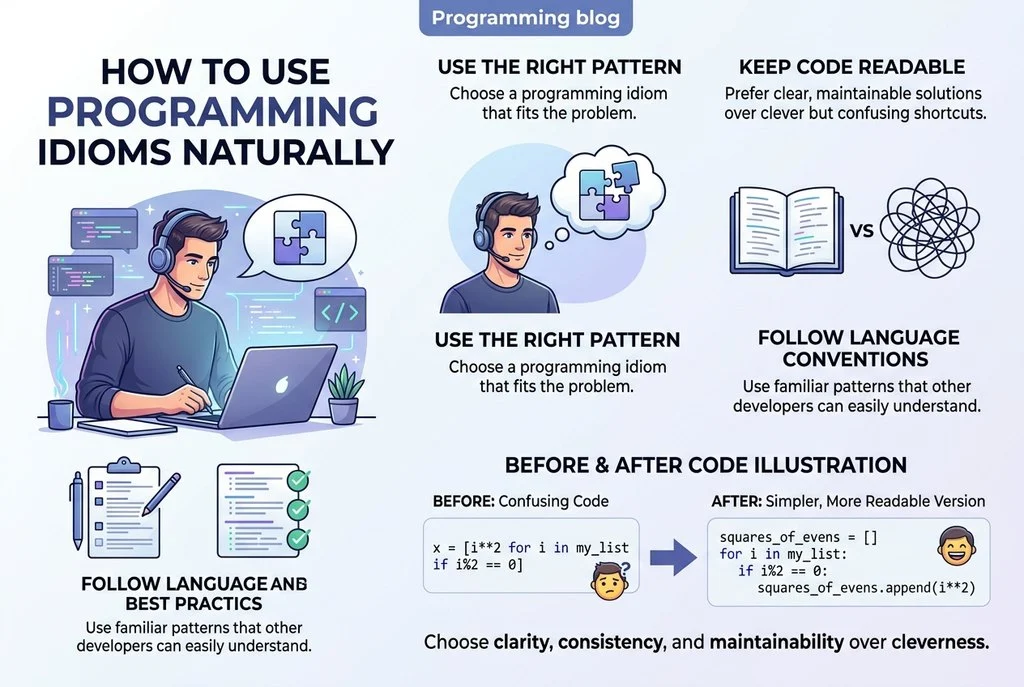
Knowing a definition is only the beginning. Use each expression in the right context and make sure your meaning remains clear.
- Match your audience: Explain informal expressions such as “yak shaving” when speaking to beginners.
- Choose clarity over jargon: “Repeated validation logic” may be clearer than “DRY” in documentation for new developers.
- Be constructive: Instead of calling code “spaghetti,” identify the confusing logic and suggest how to improve it.
- Understand the category: Figurative expressions, technical terms, principles, and coding patterns are related but not interchangeable.
- Practice with examples: Recognize the expression in a code review, tutorial, or real programming task before using it yourself.
Quick Practice Quiz
Match each situation with the correct expression.
- A developer talks through a bug and notices an incorrect loop condition.
- A team spends too much time debating a minor naming choice.
- A function exits early when the input is invalid.
- A team adds features without adjusting the deadline.
- A Python developer creates a filtered list in one concise expression.
Answers: 1. Rubber duck debugging; 2. Bikeshedding; 3. Guard clause; 4. Scope creep; 5. List comprehension.
Business Idioms and Phrases PDF: Common Expressions With Meanings and Examples
Frequently Asked Questions
What are programming idioms?
Programming idioms are conventional expressions or coding patterns used in software development. They can describe developer experiences, common practices, or language-specific ways of writing code.
What are the most useful programming idioms for beginners?
Start with rubber duck debugging, reinvent the wheel, DRY, KISS, edge case, happy path, and guard clauses. These help beginners understand developer discussions and recognize useful coding practices.
What is the difference between a programming idiom and a programming principle?
An idiom is a familiar expression or conventional coding pattern. A principle provides guidance for decisions. For example, “yak shaving” describes a work pattern, while DRY encourages avoiding unnecessary duplication.
Are programming idioms the same in every language?
No. Figurative expressions such as “spaghetti code” are used across many programming communities, while coding idioms depend on language features. Python list comprehensions, for example, are not a universal syntax pattern.
How can I learn programming idioms quickly?
Learn each term in context, read practical examples, and try explaining the underlying idea in your own words. Practice recognizing the expressions in tutorials, code reviews, and development discussions.
Conclusion
Programming idioms and developer expressions make it easier to discuss common coding challenges, software design, and teamwork. From “rubber duck debugging” and “technical debt” to Python list comprehensions and guard clauses, each term becomes more useful when you understand where it applies.
Start by learning a few expressions that relate to your current projects. Practice using them accurately, prioritize clear communication over jargon, and build your programming vocabulary one real example at a time.

Clara Bennett writes for Meaning Match about English idioms, everyday expressions, meanings, and practical language usage, making phrases easy to understand.